Make Insta360 videos you are truly proud of.
Step-by-step lessons that take you from unboxing your camera to exporting videos people actually want to watch. Master the Insta360 app on your phone and Insta360 Studio on your computer.
Left: overexposed, with a washed-out sky and sea. Right: the same shot with the right settings, which you'll learn in the course.
This party on a cruise ship deck was filmed at night on an Insta360 in PureVideo mode, with the settings you'll learn in the course.
Left: Direction Lock off, so the view swings away from the car on every bend. Right: Direction Lock on, so the car stays in the centre of the shot.
Left: the bent, fish-eye look that makes straight lines curve. Right: the same shot looking natural, with straight lines, which you'll learn in the course.
Watch the line sweep across: flat, grey I-Log footage straight from the camera becomes the same shot with a colour LUT. You'll learn to colour grade in the course, and the LUTs come free with it.
Left: a low-quality export ends up blurry and pixelated in an Instagram feed. Right: the same clip exported in high quality, which you'll learn in the course.
Left: a 360 video. Right: a photo saved from that same video, ready to share, which you'll learn in the course.
Barrel rolls, bird's-eye views, timeshifts and more. I filmed every shot here by myself on an Insta360, and the course shows you how to make shots like these.
Each lesson shows you exactly what to tap and why, one step at a time. Left: editing a barrel roll in the Insta360 app on an iPad. Right: the same shot in Insta360 Studio on a computer.
Stuck on an edit, or not sure why a shot didn't turn out? Post your video in the student community and ask for help.
Shanil will look at it and give you expert advice on what to change, from your camera settings to your edit.
You've planned the trip, booked the flights and packed your Insta360. But if you haven't learned how to use it, you could come home with noisy and blurry footage that can't be fixed in editing. You won't find out until you're home, and by then the moment has gone.
I teach you everything you need to know before you go.
Your next trip only happens once. Film priceless memories worth keeping.
One-time payment · Lifetime access · 14-day money-back guarantee
Follow it from start to finish, or jump straight to the part you need.
Set up your Insta360 X6, learn every button and shooting mode, record your first 360 video and get it onto your phone or computer.
Edit on your phone with the Insta360 app. Reframe with keyframes, colour grade, edit effect shots and export clips ready for social media.
Edit on your computer with Insta360 Studio. Deeper reframing, slow motion and Timeshift, then high-quality exports for YouTube and vertical video.
The exact settings I use on the X6, day and night, and why each one matters. Ends with two cheat sheets.
Practical tips: better audio, filming underwater, protecting your lenses, hands-free control and more.
One-time payment · Lifetime access · 14-day money-back guarantee
See what our students have to say about their learning experience.
4.8 out of 5 from 41 student reviews
Very helpful!
"For those who have hesitated purchasing the course, Shanil hits it out of the park! He not only communicates effectively the various settings and parameters of the X4 but puts it into action to assure you are successful with your creative projects."
Excellent courses. Easy to understand. Work at your own pace.
"These courses are well thought out. Shanil Kawol is an expert with Insta360 products. His videos drill down in detail with "how to" for all aspects of these action cameras."
The Best360 course exceeded my expectations
"If you want to become a 360 pro, the Best360 course is the way to go."
I'm pleased to be a student of the Best360 Academy
"…the classes/courses are well thought and well structured - the explanations are well explained - the content is suitable BOTH for absolute beginners and more experienced users…"
Better than anything else out there
"The BEST breakdown of the product I’ve ever seen! Great stuff man! Super helpful and much appreciated!"
The best learning guide for us older folks
"A wonderful no faff course with easy examples for clearer understanding"
Easier to understand than watching youtube videos
"What an excellent resource you have provided 360 camera newbies like myself."
"Shanil explains everything in calm, clear, methodical manner. He makes learning enjoyable. Thank You"
Excellent
"Most detailed and easy to follow steps. You're awesome at this."
Excellent course
"Very easy to navigate"
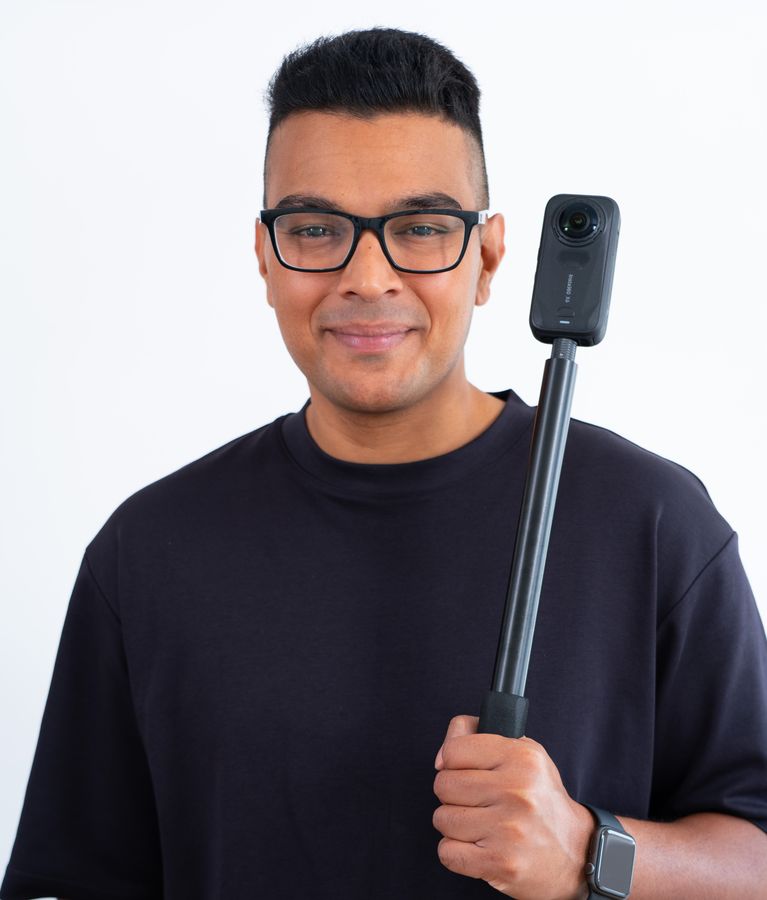
Shanil Kawol
Your instructor · Best360
I run Best360 on YouTube, where I've made hundreds of Insta360 tutorials. I've been helping creators make better 360 videos since 2020.
In 2026 I gave a talk on Insta360 X6 image quality at IFA Berlin.
This course is everything I've learned over the past 10 years, packed into a couple of hours, so you don't make the same mistakes I did. It's all in the order you need it, one thing at a time, in plain English.
I'll show you exactly what to tap and why, one step at a time.
If the course isn't right for you, tell us within 14 days and you'll get a full refund.
Shanil
Footage to practise on, colour presets, handy software and help when you get stuck.
Follow along with the lessons using real Insta360 clips.
Worth £35Colour grading presets for your Insta360 footage.
Worth £15Transfer Insta360 footage from your Android phone to your MacBook.
Worth £10Ask questions, share your work and get expert help on demand.
Worth £72All four bonuses come with the course: worth £132 in total.
Pay once and keep it for life. No subscription.
Checkout cancelled. You haven't been charged.
Lifetime access · Instant access after payment
Secure checkout by Stripe · card, Apple Pay, Google Pay, PayPal and more
You pay exactly this amount at checkout.
Try the course. If it isn't right for you, email courses@best360.co.uk within 14 days of buying for a full refund. See our refund policy.
Some of it is. I've made hundreds of videos on the Best360 YouTube channel, and they're great for a quick tip. But YouTube videos go out of date quickly, as the cameras and apps keep changing.
This course is kept up to date, and it puts everything in the right order, from unboxing to export, so nothing is missing. You can download practice footage and follow along with the lessons on your own phone or computer.
The lessons are also filmed on an iPad instead of a phone, so they're different from the YouTube videos and every tap is big and easy to see. You also get LUTs and expert help in the community.
Not at all! This course is designed for complete beginners. We start from the very basics and progressively build up your skills.
Each lesson covers one thing and shows you exactly what to tap. You don't need any editing experience.
The camera lessons (360 For Beginners and Best Settings) use the Insta360 X6. The editing lessons work the same way for footage from other Insta360 360 cameras, including the X5, X4, X4 Air, X3, X2, ONE RS and ONE R.
No. You can edit everything on your phone with the Insta360 app. If you'd rather edit on a computer, the Insta360 Studio module shows you how.
You pay on Stripe's secure checkout page. Then you create your Best360 account with the email you paid with (or sign in if you already have one), and the course opens in your classroom.
You'll also get a welcome email with your invoice.
For life. You pay once and keep the course. There's no subscription and nothing to renew.
We offer a 14-day money-back guarantee. If you're not satisfied, just email us within 14 days of your purchase for a full refund.
Email courses@best360.co.uk. Full details are in our terms.
Yes. The price on this page is in your currency, and it's exactly what you'll pay at checkout. We have prices in pounds, US dollars, euros, Canadian, Australian and New Zealand dollars, Swiss francs, Polish złoty and Brazilian reais. You can change the currency under the price.
Anywhere else, you pay in pounds and your bank converts it.
Use Sign In at the top of the page to go to your classroom. Anything already in your account stays yours.
4.9 out of 5 · 360 For Beginners · 8 reviews
5.0 out of 5 · Insta360 Studio · 1 review
5.0 out of 5 · Insta360 App · 1 review
5.0 out of 5 · Insta360 X6 Best Settings · 1 review
"Interesting start"
"Comprehensive and easy to understand for beginners"
"Merci pour cette form simple et efficace."
"This is top notch information. Please considering doing different cameras as well. Best 360 course I’ve seen and better than anything on YouTube. Very easy to understand. Thank you!!"
"Esta todo estupendo!!"